Custom smart devices & IoT development

Turn your device idea into a working product.

Need new features, a connection to your phone, or a device built from scratch? Start with your goal, then work toward results you can verify at each stage.

  1. Share your needs
  2. Agree scope and quote
  3. Review each stage
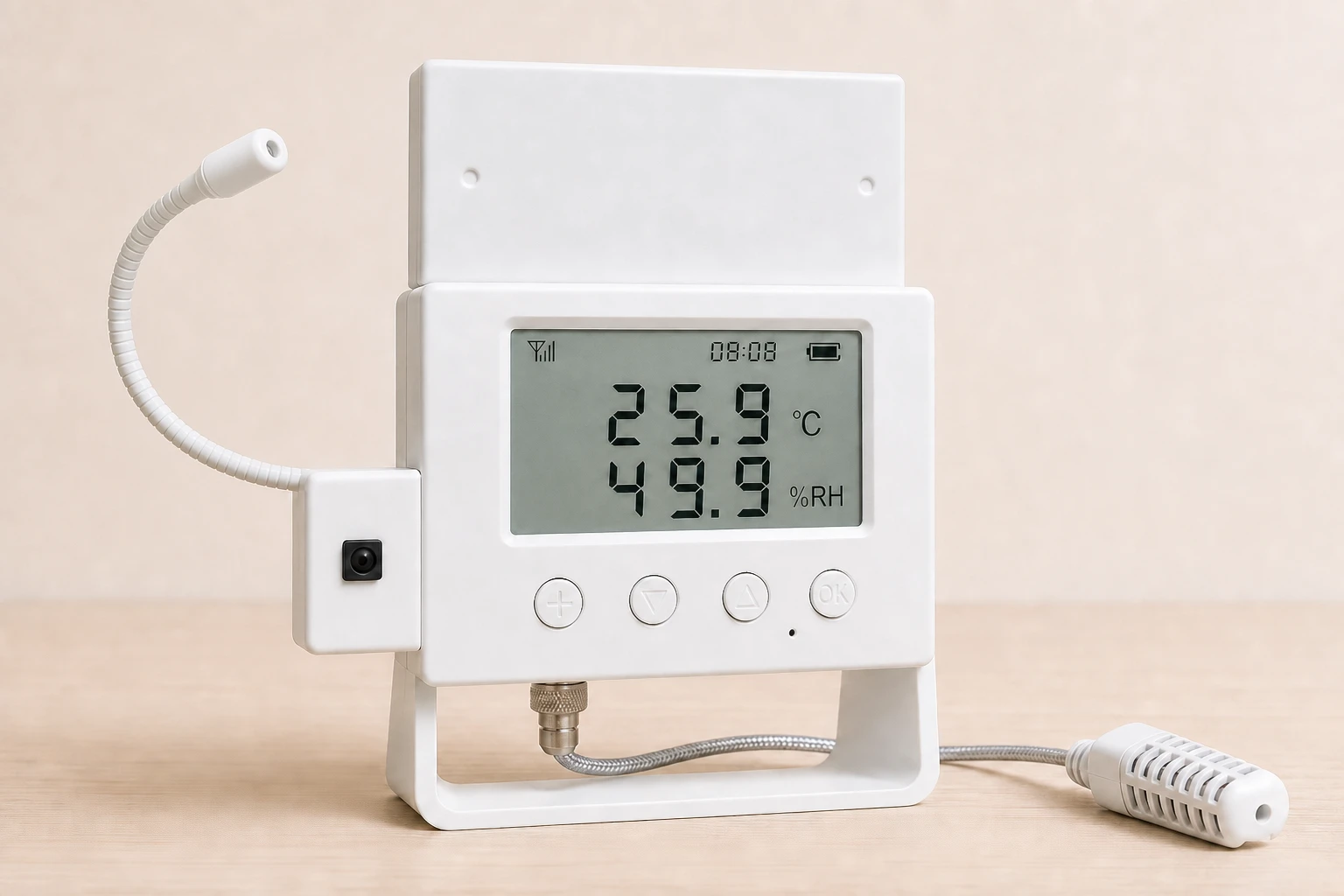
E1 environment controller showing the enclosure and connections
E1 environment controller / In-house project

DEVELOPMENT SERVICES

From device to app, built around real use cases.

Find the work that fits your needs. Each service explains when it applies, what to prepare and what you'll get at each stage, so you can assess the fit first.

We agree on scope and price for each phase, complete and review that phase, then move to the next. A quote for one phase is not the price of the entire project.

Embedded systems and device firmware

For extending an existing device or developing control and connectivity for a new one.

View service details
Suitable needs
Sensor readings, actuator control, local automation, or device connectivity.
Development work
Firmware functions, device interfaces, and operating-state handling for the target hardware.
Helpful starting materials
A prototype, hardware information, interface details, and the expected device behavior.
Phase outcome
Functions that can be checked on the target device, with corresponding test records.
Time and cost factors
Hardware readiness, peripheral count, communication protocols, and on-site test conditions.
Android device apps

Put device status, historical data, and everyday controls into a clear mobile interface.

View service details
Suitable needs
Device monitoring, remote actions, history charts, alerts, and account flows.
Development work
Device interaction screens, data views, and connections to available interfaces.
Helpful starting materials
Device workflows, interface documentation, test accounts, and target phone models.
Phase outcome
An installable test build, demonstrable key flows, and verification records.
Time and cost factors
Device and API readiness, screen count, interaction complexity, and model coverage.

IoT interfaces and data services

Connect devices, mobile apps, and business data with a clear path for status and records.

View service details
Suitable needs
Device onboarding, state sync, historical data, account permissions, and remote commands.
Development work
Interfaces between devices and apps, data storage, and the access controls the workflow needs.
Helpful starting materials
Sample device messages, expected data volume, account rules, and hosting requirements.
Phase outcome
Services ready for integration, documented data flows, and interface verification results.
Time and cost factors
Device count, history volume, permission needs, and reliability targets.

C# engineering and production tools

Practical desktop interfaces for engineering diagnostics, device checks, and production steps.

View service details
Suitable needs
Serial diagnostics, configuration, programming checks, process records, and label workflows.
Development work
Windows workflows and interface connections shaped around the actual device and station steps.
Helpful starting materials
Devices and drivers, existing procedures, record formats, and how the station is used.
Phase outcome
An operable desktop tool, clear step feedback, and test records.
Time and cost factors
Hardware interfaces, driver compatibility, device states, and the number of process branches.

Our project

E1: sensing and control, together.

E1 is our in-house environment controller. It brings temperature and humidity sensing, relay and infrared control, and local device rules into one hardware and software project.

Connect environmental sensing, device control and automation in one system.

  • E1 device

    E1 demonstrates temperature and humidity sensing, relay and infrared control, and automation rules executed on the device.

  • Actuator control

    Relay and infrared interfaces connect equipment and link control actions to environmental conditions.

  • Local device rules

    Saved rules run on the device. Local automation and network-based monitoring are handled separately.

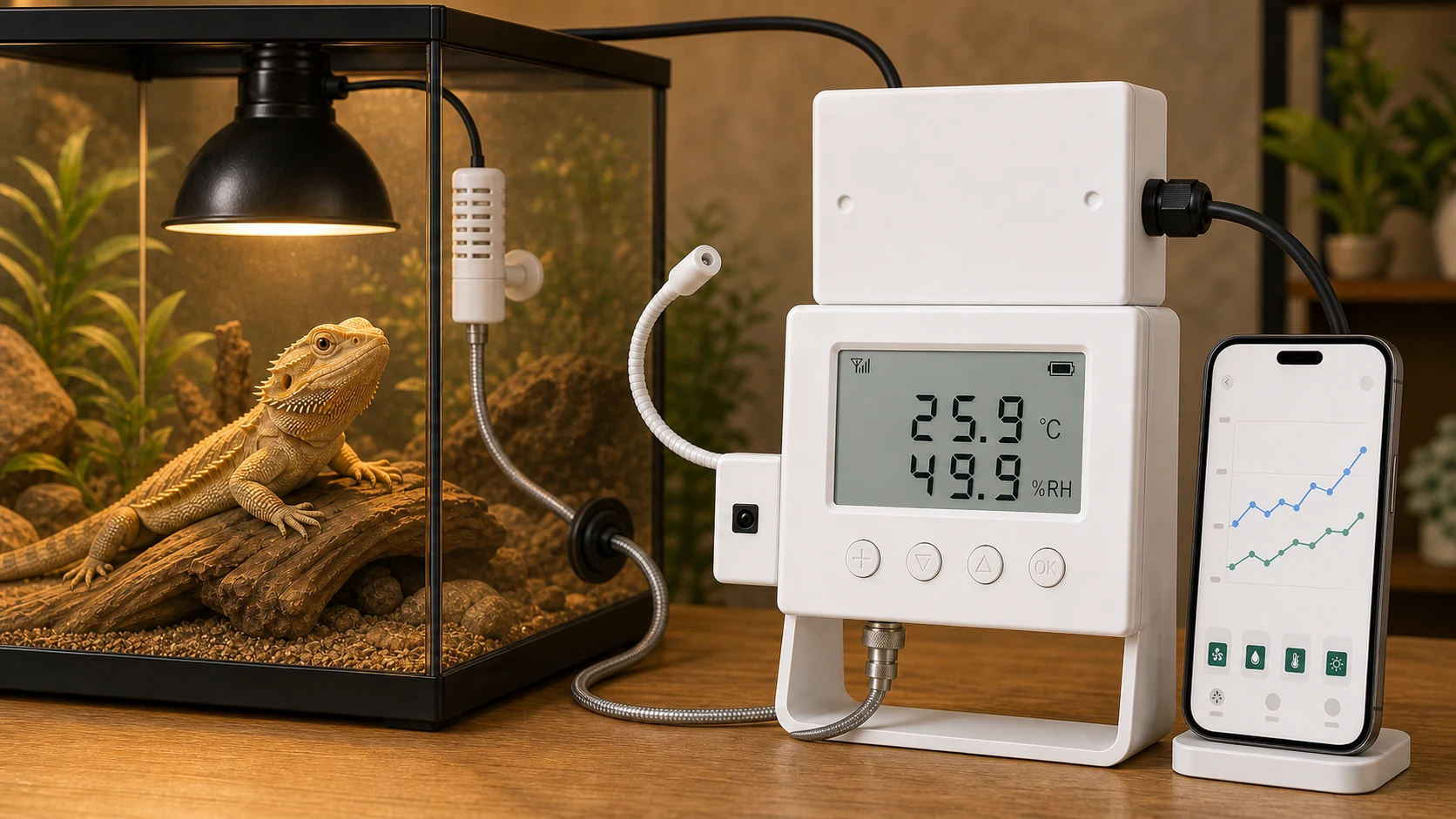
E1 environment controller shown in an indoor setting
Temperature and humidity monitoring and control for animal habitats
Explore E1 development

Project context

Animal habitats and plant-growing environments often need temperature and humidity monitoring alongside heating, ventilation and misting equipment. E1 brings sensing and actuator control together around the same environmental conditions.

Development scope

Device firmware, temperature and humidity sensing, relay and infrared interfaces, local control rules, and hardware and software integration for practical scenes.

Key challenge

Equipment has different interfaces and action patterns. Local execution also needs a clear boundary from network features, so saved device rules can keep running while offline.

Implementation approach

Sensors provide environmental readings and relay or infrared interfaces control equipment. Rules stored on the device connect sensing, condition checks and control actions.

Project presentation

E1 is an in-house environment-controller project. The device, Android application and C# tools share the same sensing and control workflow.

Test conditions and recorded results

Conditions

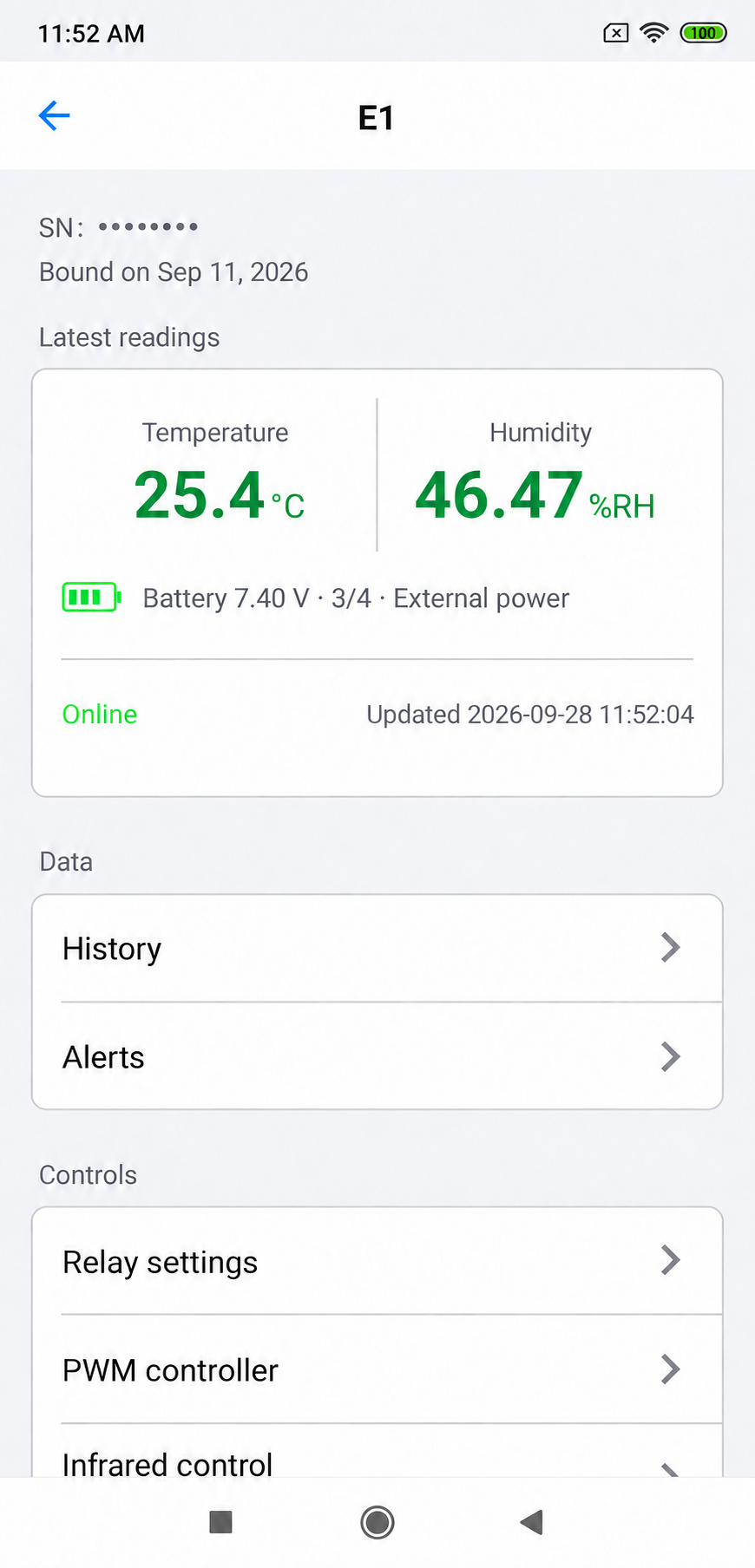
In September 2026, an E1 device was used for a firmware update and functional checks after restart. The companion app is shown on a phone.

Result and scope

The data-preserving update completed on that device, and its buttons, clock, and MQTT connection passed the post-restart checks. This record did not include a phone OTA update or acceptance of every hardware batch.

Published features

  • · Temperature and humidity sensing with local display
  • · Relay output and infrared control
  • · Local automation rules executed by the device

Development scope

E1 demonstrates work on device firmware, sensors, relays, infrared control, and local rules.

E1's saved local rules run offline. Remote access, cloud sync and new alerts require a network connection.

Visit the E1 website

SOFTWARE IN PRACTICE

View and debug on your phone.Export faster on your computer.

View data and debug devices on either your phone or your computer. Use the computer for faster data exports.

See E1 in practice

01 / ANDROID

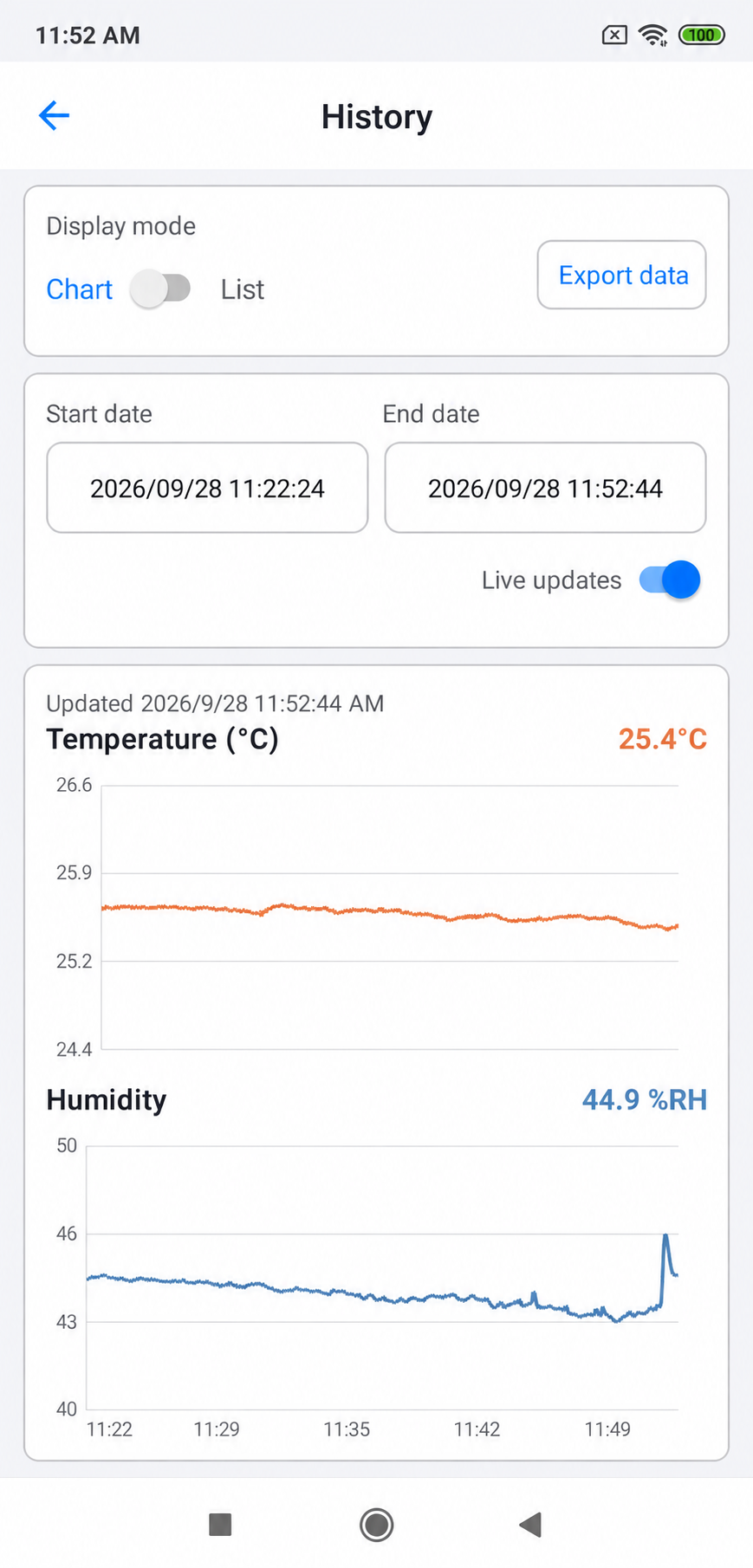
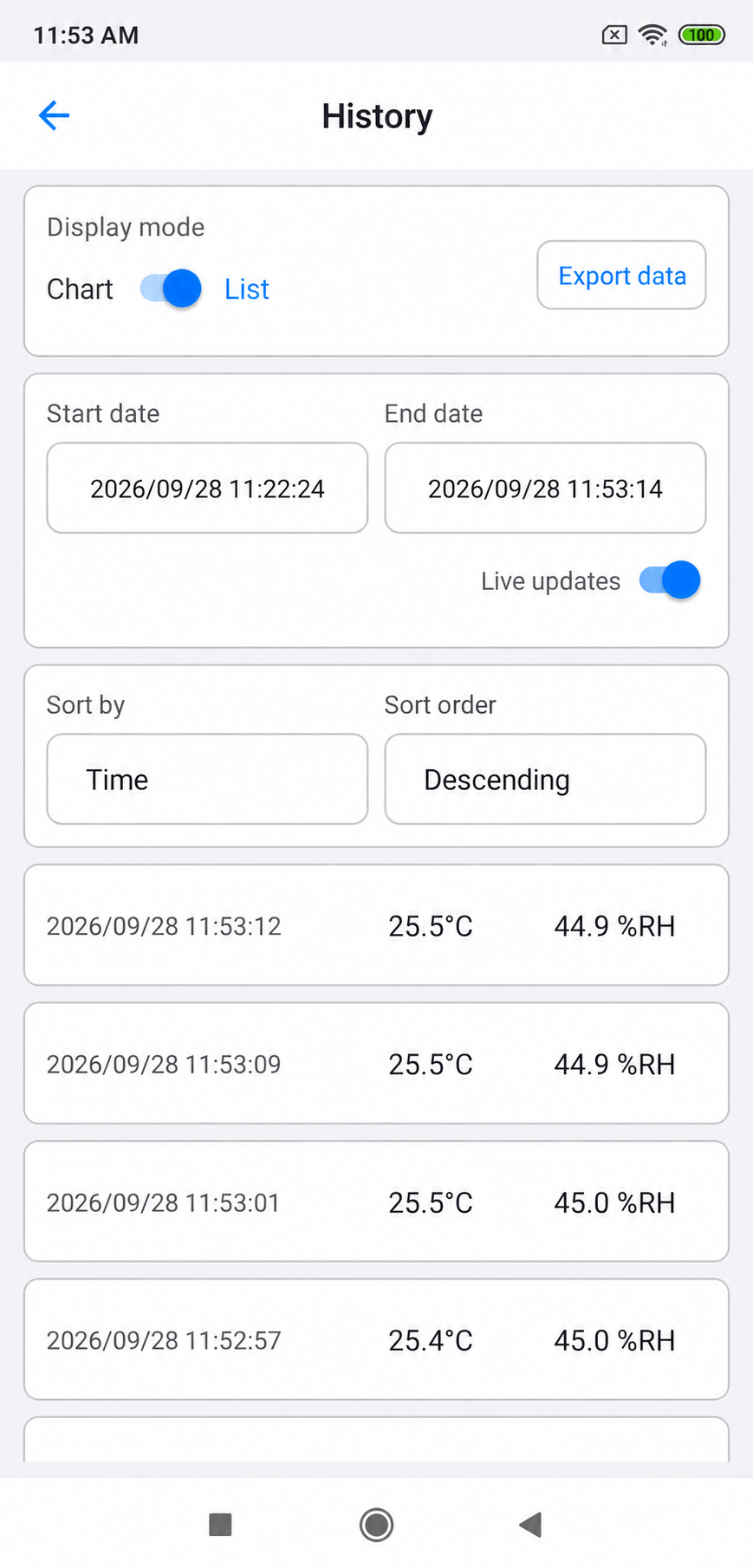
Device status and history, at a glance.

Device details, history charts and individual records.

Android interface

Select an image to view it at full size. Swipe horizontally on mobile.

02 / C# · WINDOWS

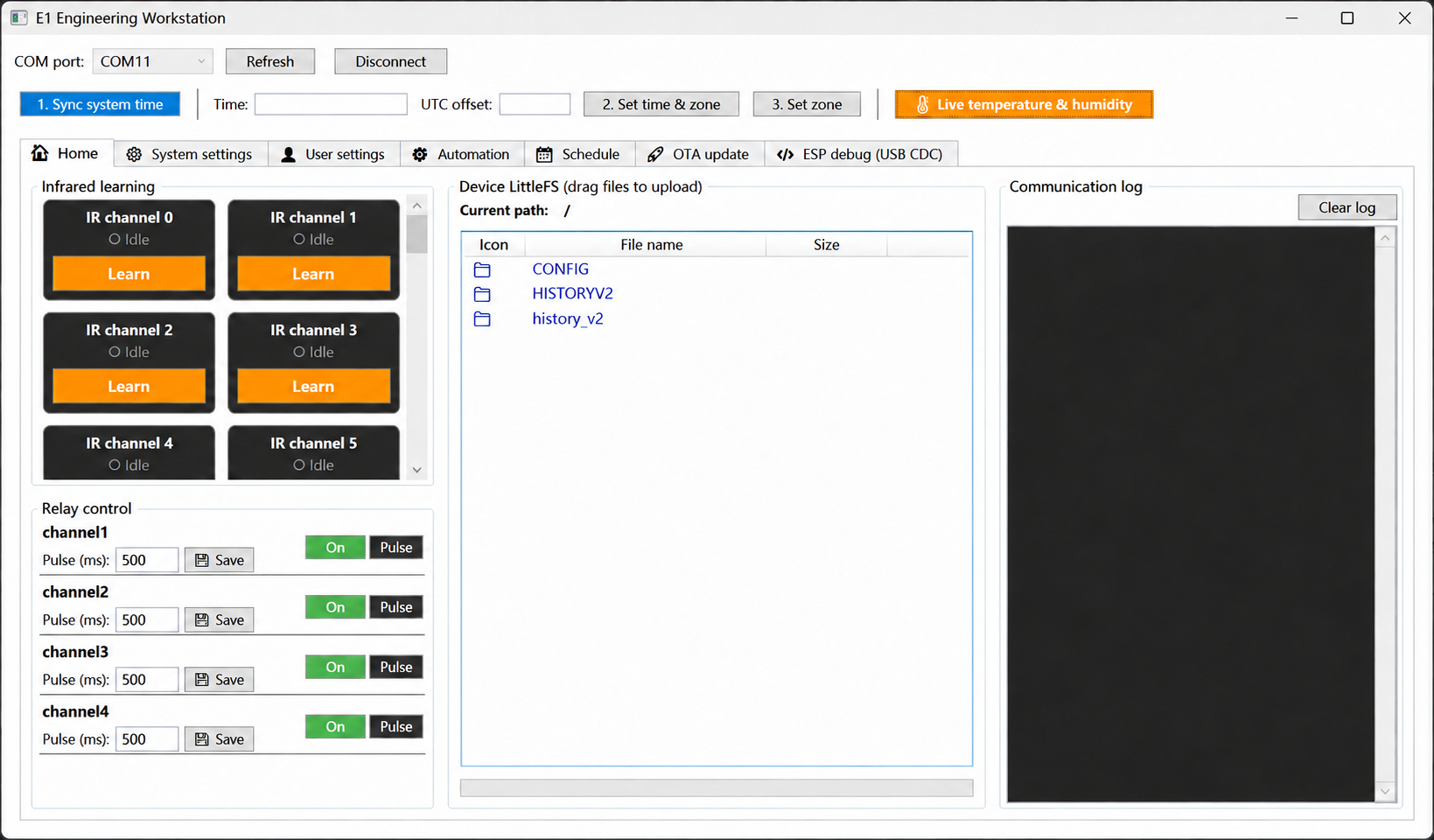
From engineering to production preparation.

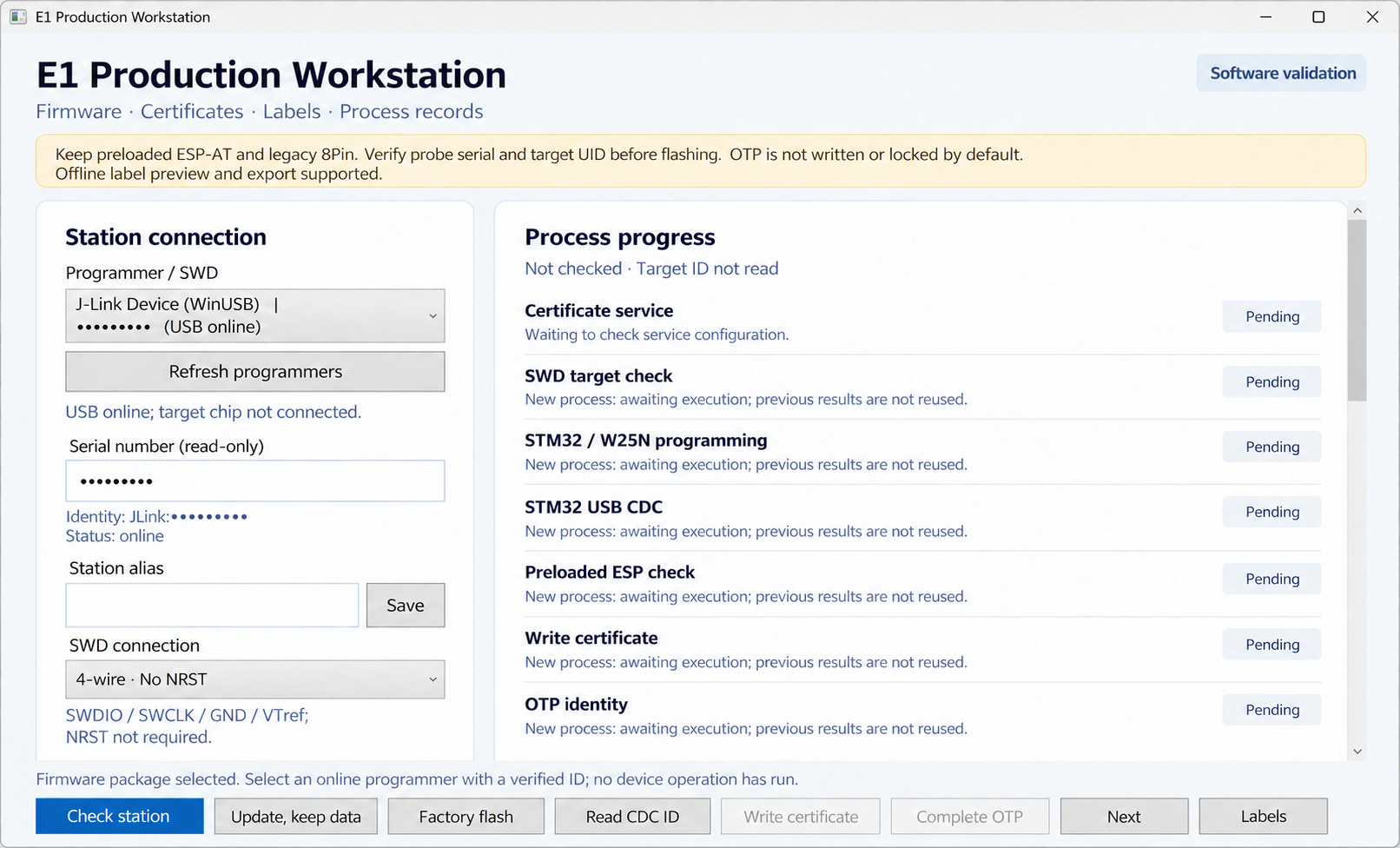
Desktop tools offer faster data exports alongside device configuration and diagnostics. The production workstation supports device manufacturing workflows.

Custom development

Build the version that fits your needs.

Three starting points for a project. Choose one to prefill the project brief below.

We start with the actual use case, agree on goals and phase outcomes, then plan the implementation.

How we work

Know what you get at every step.

Agree on the current stage's scope, price and acceptance criteria. Complete it before moving to the next.

  1. 1

    Describe the goal

    Describe your equipment, where it will be used and the functions you need. Define the problem this stage should solve.

  2. 2

    Agree the plan and quote

    Agree on the work, price and acceptance criteria for this stage before implementation starts.

  3. 3

    Test key functions

    See the key functions demonstrated or tested, and compare their behaviour with the agreed goals.

  4. 4

    Accept each stage

    Review the results against the agreed criteria, then move on once that stage is accepted.

Start creating

Start with the problem you want to solve.

Describe the equipment you have and the functions you want. Once we receive your email, we'll discuss the scope, then agree a plan and quote for each stage.

  • Open the draft in your default email app with the recipient, subject and brief filled in. Review it and send it yourself. If it won't open, copy the address and brief.
  • Business inquiries: [email protected]

Describe → Draft → Review and send